Music practice app

Loop any section.
At any speed.

Stop scrubbing through videos to find the tricky part. Rehearsely lets you mark it, loop it, and slow it down without changing the pitch, so you learn songs by ear faster.

Free on iPhone, iPad, Mac and Android
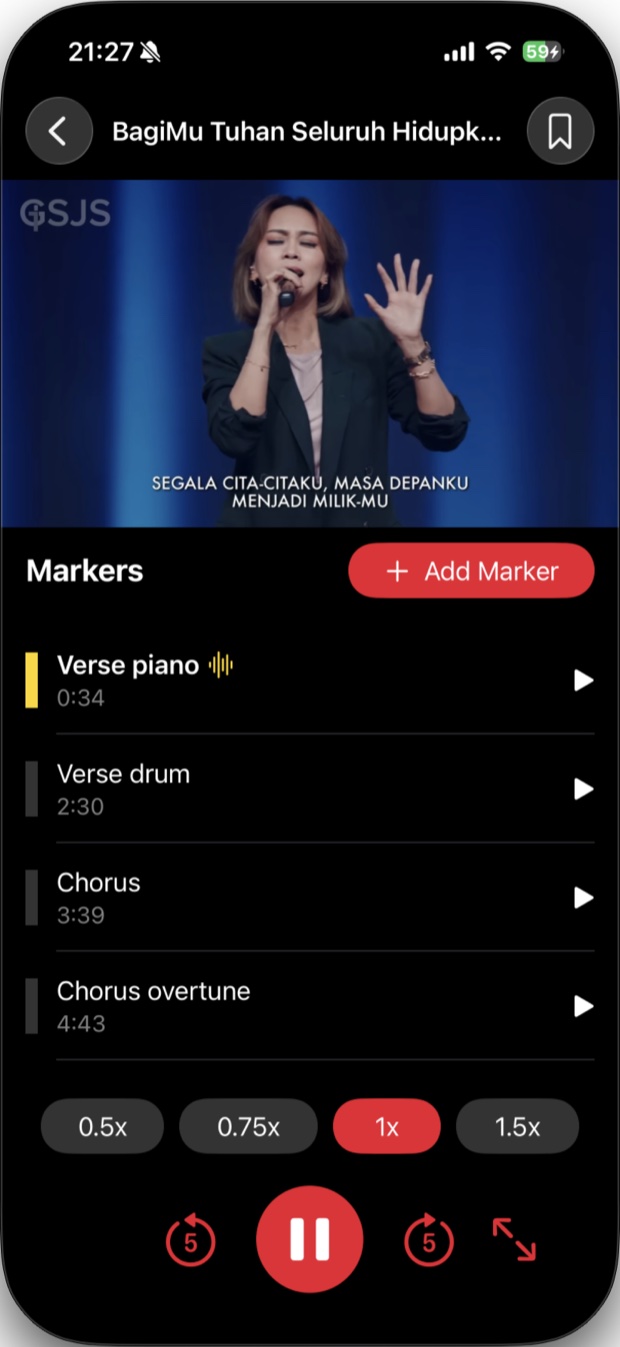
Rehearsely playing a song, with a list of markers and speed controls
Your song
Looping “Verse piano”0:34 to 1:02
0.75× speedSame pitch
Why musicians use it

Practice the hard parts, not the whole song.

Made for people learning songs by ear, and for cover bands and worship teams getting ready for a gig.

Loop.

Any section at any speed

Repeat one passage as many times as you need. Slow it down to 0.5× and the pitch stays the same.

Mark.

Every tricky part

Drop markers on the intro, the solo, the fill you keep missing. Jump back to any of them with one tap.

Build.

Gig-ready setlists

Put songs in the order you'll play them, and share a setlist with your bandmates.

Paste.

A list, get songs

Paste the song list from your band chat. Smart Add finds the songs and adds them for you.

Markers

Name it, time it, loop it.

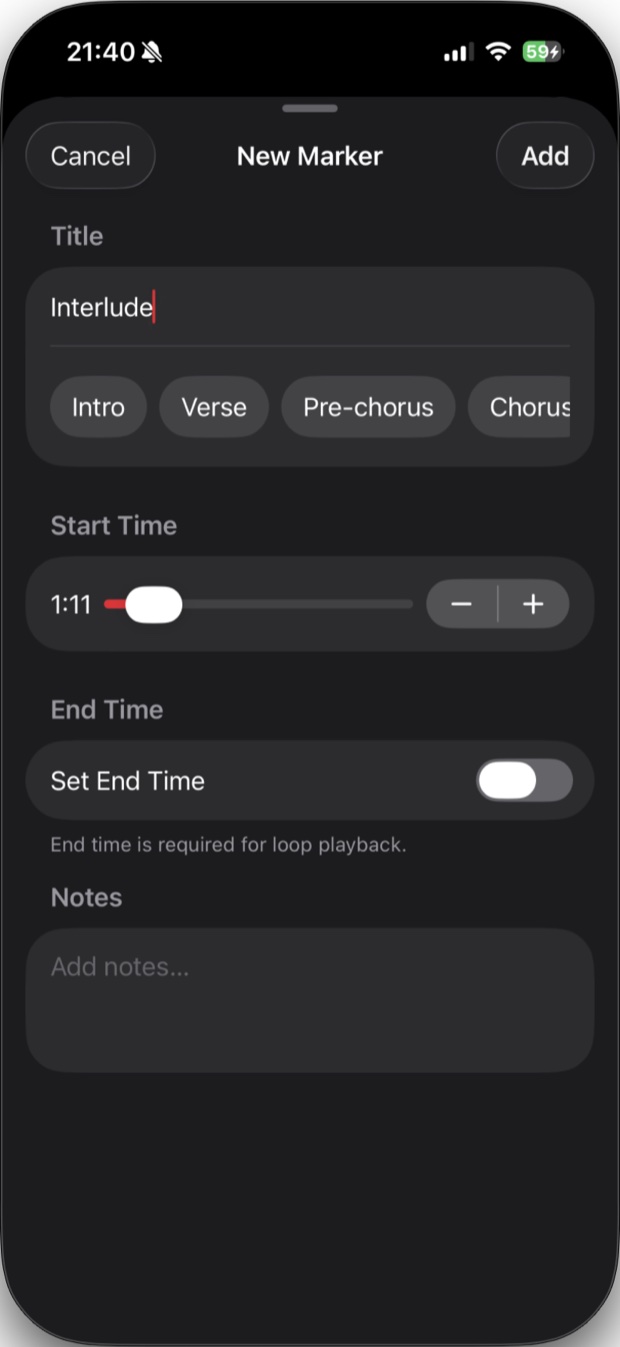
Pick a start time and an end time and that section loops on its own. Add notes to remind yourself what to work on.

  • Quick labels: Intro, Verse, Pre-chorus, Chorus
  • Fine-tune start and end times with + and −
  • Notes on each marker
Adding a new marker with a title, start time, end time and notes
Setlists

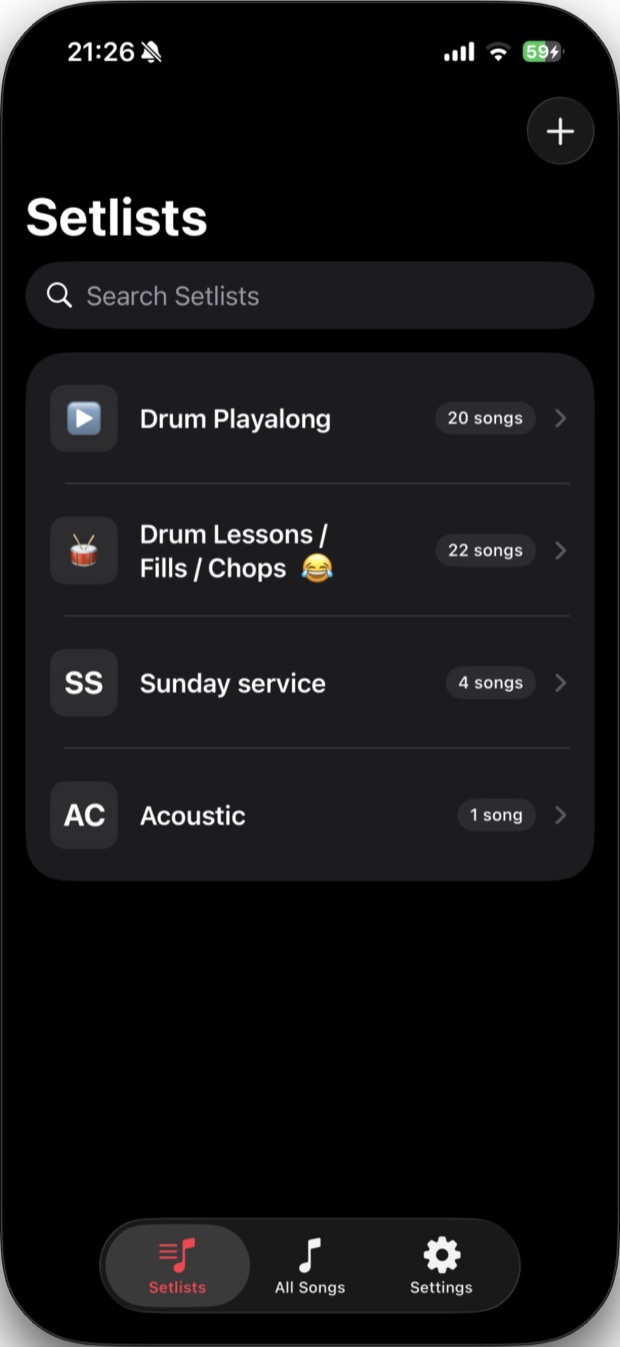
Every gig in one place.

Make a setlist for Sunday service, your next show, or the drum fills you're working on. Your library syncs to all your Apple devices through iCloud.

  • Drag songs into the order you'll play them
  • Share a setlist with your band
  • Back up your whole library to a file
A list of setlists, including Drum Playalong and Sunday service
And more

Small things that save practice time.

Your own audio files

Practice with MP3s and recordings you already have, not only YouTube videos.

Automatic sections

Import a song file and Rehearsely finds the sections, key and tempo for you.

iPhone, iPad and Mac

Exercise Mode

A full-screen view with big controls, easy to reach while you're holding an instrument.

Syncs through iCloud

Add markers on your iPhone and they're on your iPad and Mac too. No account needed.

Share with your band

Send a song with its markers, or a whole setlist, so everyone practices the same parts.

Marker notes

Write chords, lyrics or reminders on a marker. The note follows along as the song plays.

How it works

Ready to practice in under a minute.

Add a song

Paste a YouTube link, share one from the YouTube app, or import your own audio file.

Mark the hard parts

Tap Add Marker at the part you want to practice. Set an end time to loop it.

Loop and slow down

Play it at 0.5× or 0.75× until you've got it, then bring it back up to full speed.

FAQ

Questions

Is Rehearsely free?

Yes, it's free to download and use. Rehearsely Pro is an optional upgrade that removes the limits on songs with markers, setlists and sharing.

Which devices does it work on?

iPhone, iPad and Mac (from the App Store), and Android phones (from Google Play). On Apple devices your library syncs through your own iCloud account.

Does slowing down change the pitch?

No. Songs stay in the same key at 0.5×, 0.75× or any other speed, so you can play along in tune.

Does it download YouTube videos?

No. YouTube songs play through YouTube's official player, so you need an internet connection for them. Audio files you import yourself work offline.

Do I need to create an account?

No. There's no sign-up. Your songs and markers stay on your device and, on Apple devices, in your private iCloud.

How do I get help or send feedback?

Email SUPPORT_EMAIL. Bug reports and feature ideas are always welcome.

Rehearsely app icon

Learn your next song faster.

Free on iPhone, iPad, Mac and Android.

Download on the App Store Get it on Google Play